From a work order to a finished part.
The path the system walks every time a job comes in. Five stages, all visible from one screen if you ask for it.
The shop tells you what it is.
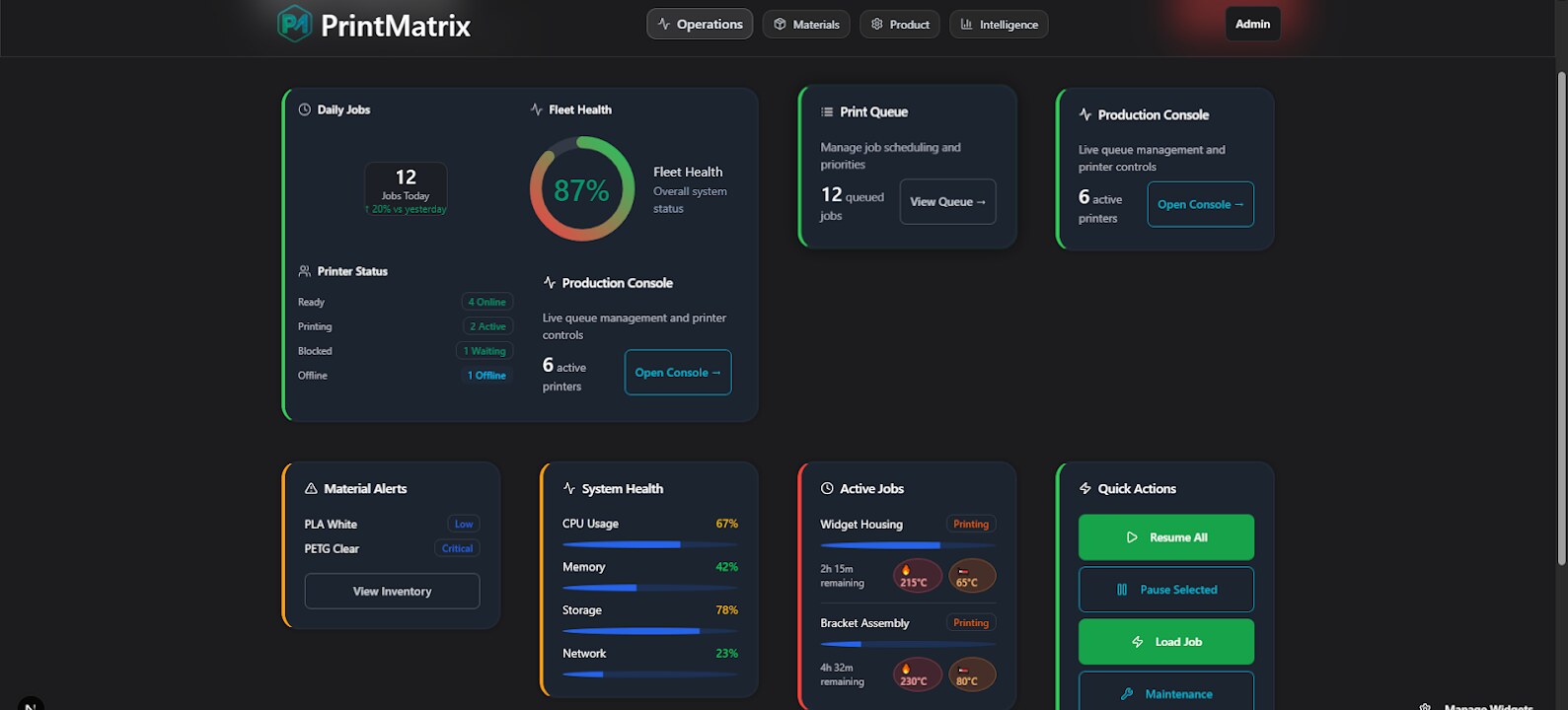
Walk in, open the Operations tab. Fleet health, daily jobs, queue depth, material alerts — all of it surfaces before you click anything. The console knows which printers are online, which are mid-job, which are blocked, and which are offline.
87% fleet health isn't a vanity score — it's the system flagging the 13% you're about to lose if nobody touches it.
Inventory that knows what's coming.
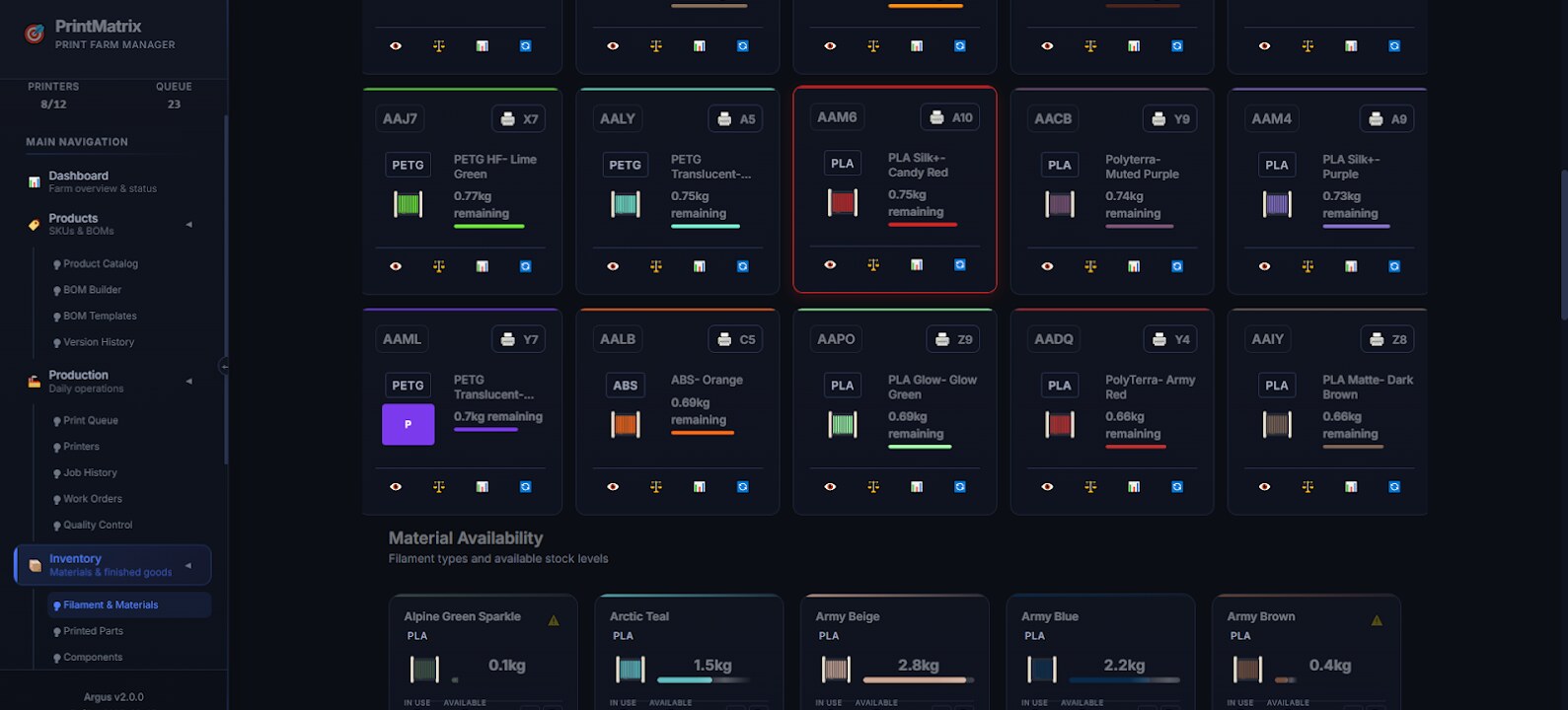
Switch to Materials. Every spool, every component, every PEI sheet on the shelves. Each filament card shows kg remaining, the printer it's loaded on, and the queue depth that will burn it. The global catalog ships with 4,874 filaments across PLA, PETG, ABS, TPU — your shop picks the ones you stock and adds its own blends.
When a job's queued, the spool it'll eat gets reserved via PrinterLoadedSpool. No double-booking white PLA again.
The work order writes itself.
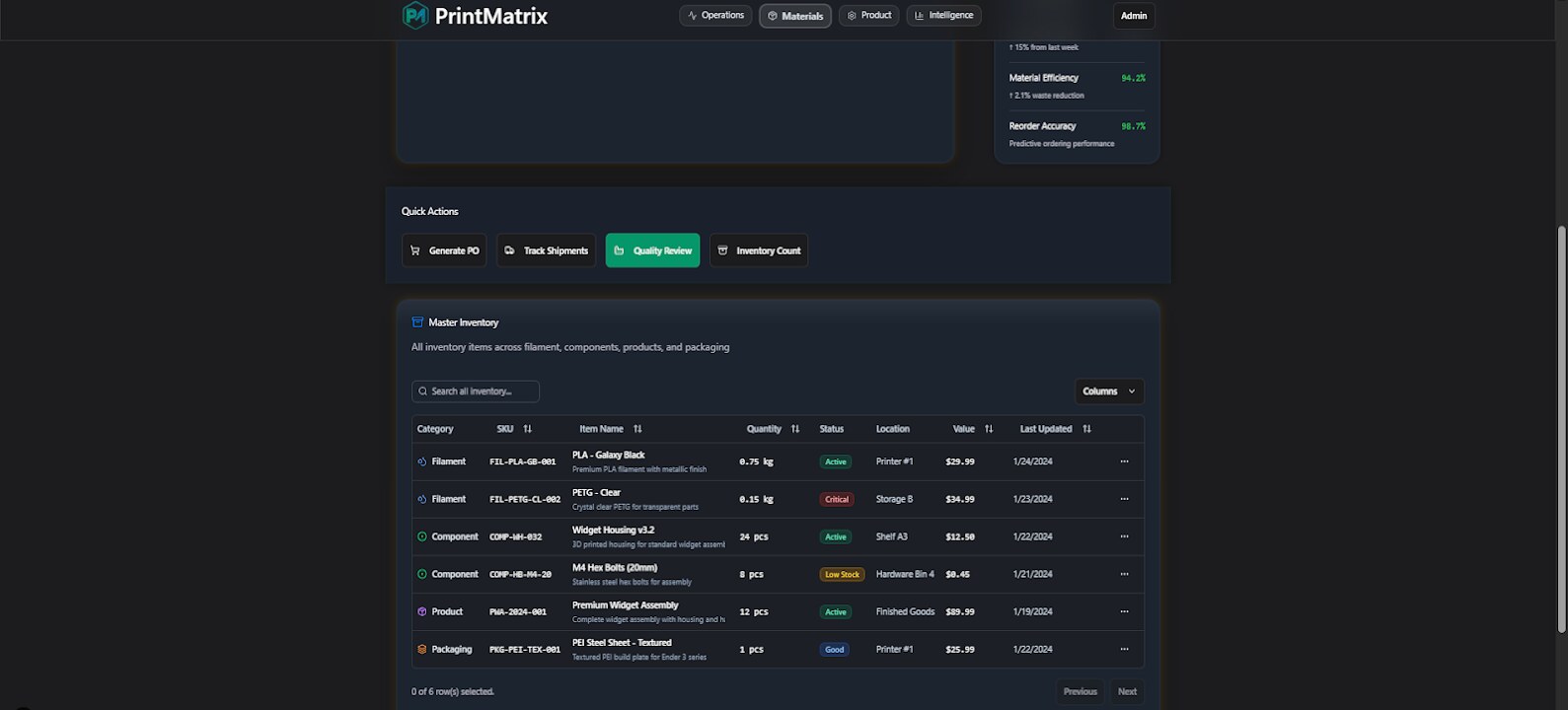
Pick a SKU. The BOM tells the system every filament, every component, every shipping bag it needs. Inventory checks itself in real-time against the Component + Material tables. The work order generates with stock-aware quantities, version-pinned STL files via STLMaterialAssignment, and the multi-material assignments already mapped to AMS slots.
If a Component is below safety stock or a Material is out, you see it before you start — not at hour 3 of a 4-hour print.
What the data is trying to tell you.
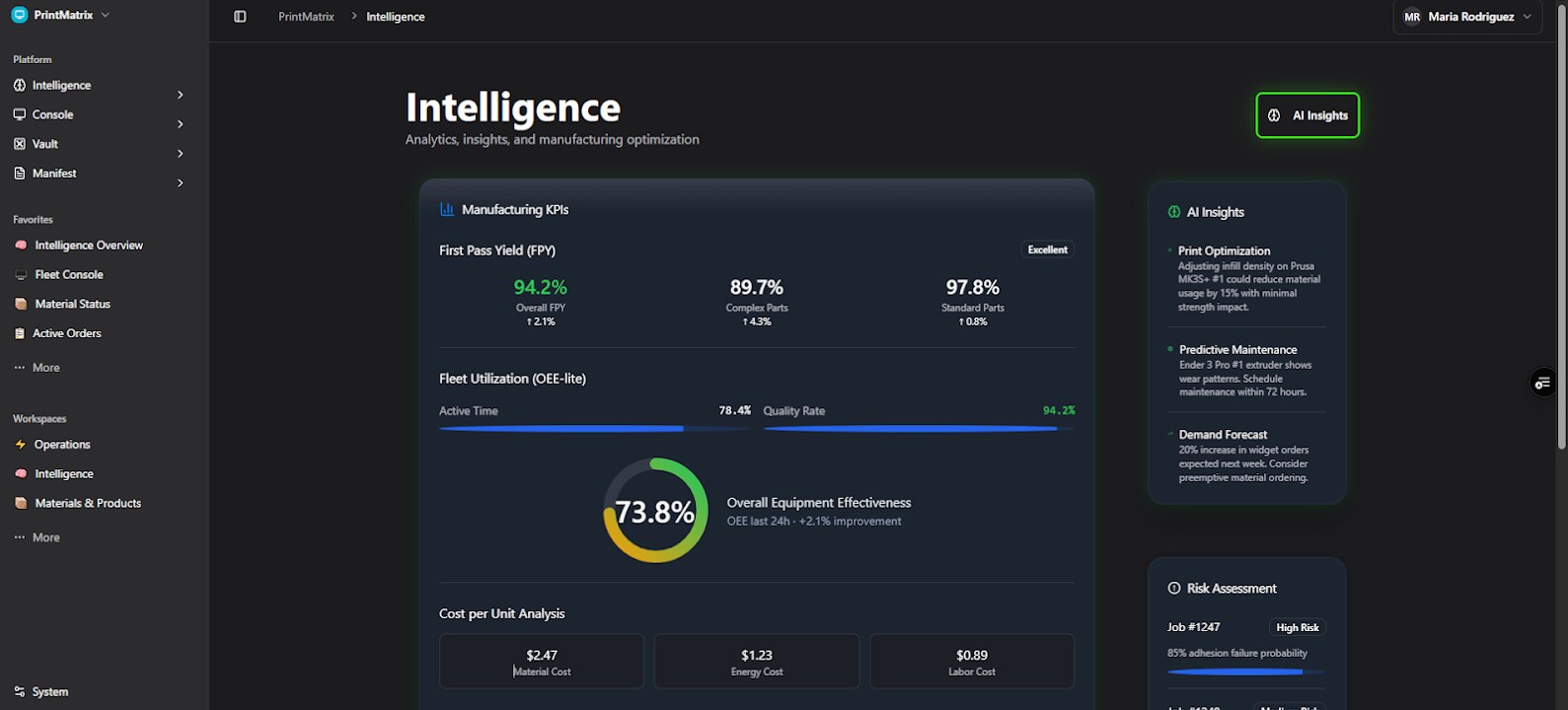
The Intelligence tab is the part that's quietly running in the background. First Pass Yield by part complexity (94.2% overall, 89.7% complex, 97.8% standard), OEE-lite that knows when a printer's drifting (78.4% active time × 94.2% quality = 73.8% OEE), cost-per-unit across material/energy/labor, and an AI insights panel calling out the next thing to fix.
"Prusa MK3S+ #1 could reduce material 15% with infill at 20." That's a recommendation, not a feature.
Every STL, every version, every revision.
Design files live in the Vault with version control. A SKU points to a specific STLFile revision via Design, the AMS assignments for it via STLMaterialAssignment, and the GCodeFile that came out of slicing tied to a SlicingProfile. Roll back a part to v2.7 if v3.0 had a bad fillet. Nothing's lost.
The customer who ordered last Tuesday gets exactly what was on the screen last Tuesday — even if the design moved since.